The Reset Button Is Not the Release: Handing On a Connected Device Cleanly
A factory reset does not always free a device from the account that first claimed it, and the leftover link causes trouble for both people involved.
- Written by
- Ellen Marsh
- Published
- Filed under
- Tech
- Length
- 1,118 words, about 5 minutes
A thermostat comes off a wall in July and goes into a box with the rest of the things being left for the buyers, and in October somebody calls a support line because the app on their phone says the device already belongs to a stranger. That situation is ordinary rather than unusual, because connected devices are claimed by an account the moment they are first set up, and that claim frequently outlives the reset button, the sale of the house, and any memory anybody has of having made it. The order of operations is what fixes it, and reaching for the reset first is what causes it.
Everything That Has to Happen While It Is Still Powered On
Every step below is easier while the device is powered, connected to the network and signed into the original account, which is why none of them should wait until it is in a box. Retrieve anything stored first, meaning video clips, schedules, energy history and automation routines, since some of that material is only downloadable while the link is live and some of it is deleted outright when the link is broken. Then remove the device from any automations or groups, both inside its own app and inside any voice assistant it was added to, because deleting a device that a routine still references leaves the routine broken in a way that is genuinely difficult to diagnose months later.
Two smaller items belong in the same session. Remove other people's access, meaning family members, a former tenant, a house sitter or a contractor, since anybody granted access keeps it until somebody revokes it and revoking it afterward is considerably harder. And write down the model and serial number, because if a transfer goes wrong those are what support will ask for, and by then they will be printed on the back of something attached to a wall you no longer own.
Unlink in the App First, Then Factory Reset
This is the step people reverse, and reversing it is the whole problem. Deleting the device inside the app releases the manufacturer's server-side claim on it. A factory reset clears only the device's own local memory, which means a unit that was reset first can remain registered to the old account on the server while appearing perfectly blank in your hands. The new owner's app then reports, accurately, that the hardware belongs to somebody else.
So the order is: remove the device in the app, wait for it to actually disappear from the account list rather than assuming it has, and only then run the physical button sequence from the manual. Where the app is no longer installed or the account has been closed entirely, the manufacturer's support process can usually release a registration on proof of purchase, which is the reason to keep a receipt long after the warranty on it has expired.
Clearing What Lives Somewhere Other Than the Device
Deleting a device does not always delete the footage it recorded, so stored media has to be removed explicitly and the subscription that held it usually has to be canceled separately, since recurring charges outlive hardware with remarkable persistence. Any integration authorized with a third party keeps its permission until it is revoked inside that service rather than inside the device's own app, which is the kind of leftover nobody notices until an unrelated account starts behaving strangely. And saved network credentials, which a reset clears on most devices, are worth verifying rather than assuming, particularly on anything carrying removable storage.
Two Minutes on the Router
This part is worth doing whether the device is leaving the house or simply being replaced by a newer one. Remove any static address reservation or port forward that was created for it, delete it from the device list so that the list stays readable to whoever looks at it next, and if it lived on a guest or separate network set up for devices, check whether anything else still needs that network to exist. Where the device is going to somebody you do not know and there is any doubt the credentials were cleared, change the network password, which costs an evening of reconnecting things and settles it.
Handing It to a Person, or Leaving It With a House
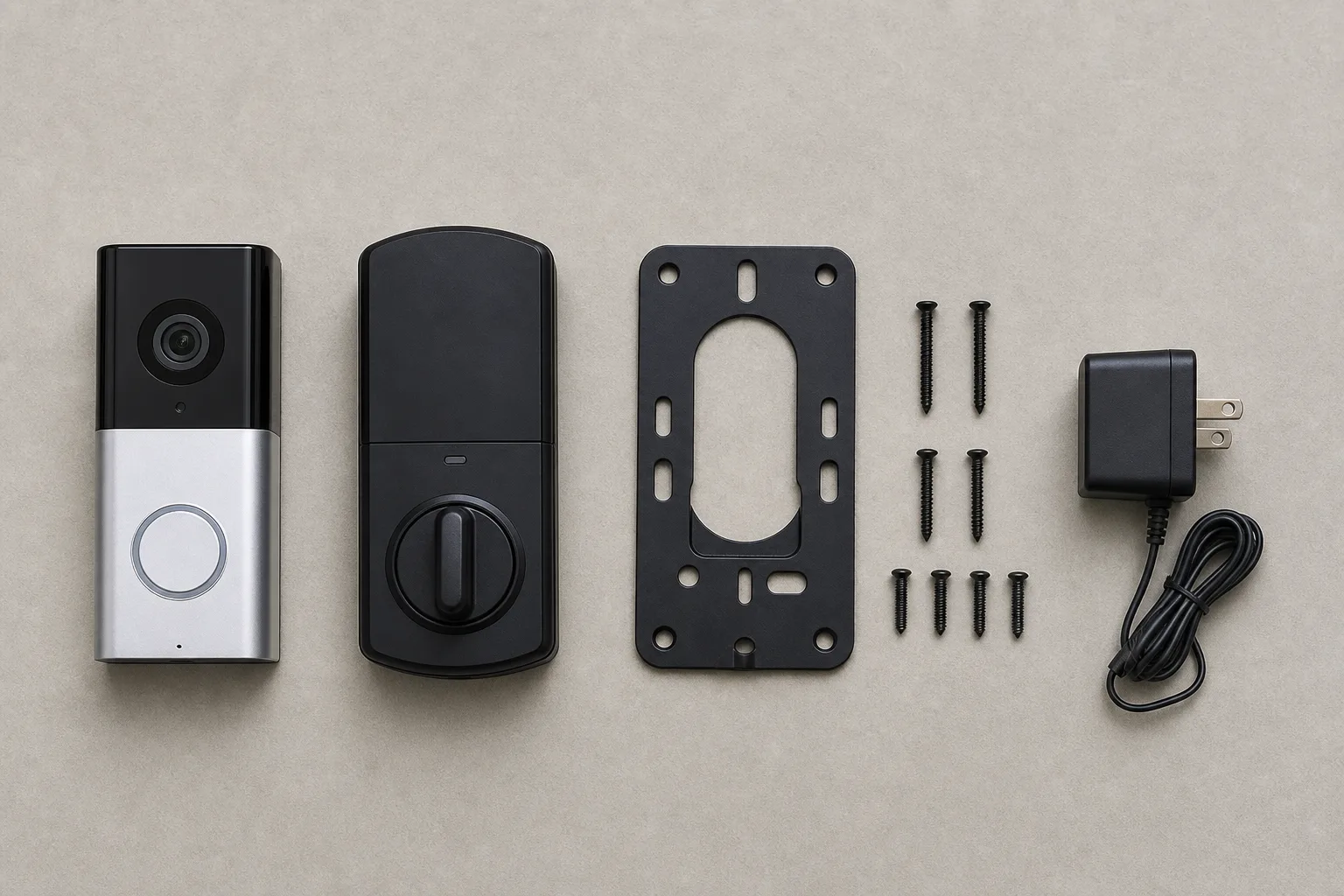
Include the physical parts that make the device usable, meaning the mounting plate, the screws, the power adapter and any proprietary wire connector, because those are exactly the items that go missing and exactly the ones that cannot be bought separately. Include the model number and a plain note saying the device has been unlinked, and include your account details with nobody for any reason. Be straightforward about support status too, since a device past its update horizon still has real value to somebody who wants it for local control and saying so is more useful than a vague description that will be discovered as inaccurate anyway.
A house sale raises the related question of what stays and what goes, and whatever the contract says about fixtures, the workable rule is that anything wired in place stays and anything sitting on a shelf goes. Everything staying gets the full sequence above, and the new owner gets told it was done, because a thermostat still claimed by a previous owner is among the most common and most irritating handover problems in existence and it surfaces on the first cold night. Hand over the non-obvious facts at the same time: which breaker controls the garage opener, where the camera's power supply is hidden, what the doorbell transformer is rated at.
If It Is Going to Recycling Instead
Unlink it first for exactly the same reasons, since a device that reaches a recycler still bound to your account is a loose end nobody will ever close for you. Then check whether it contains a battery that has to be removed before disposal and whether your county runs an electronics collection with its own rules, which most now do, and which differ by material in ways easier to look up than to guess. Electronic waste handling is governed by the Environmental Protection Agency's rules alongside a patchwork of state programs, and the practical version for a household is that a collection event exists somewhere nearby and that a lithium cell should never go into a curbside bin.
The whole sequence takes about twenty minutes on a device set up years ago and ignored since. That is the difference between a clean handover and a phone call from a stranger, six months later, about a piece of plastic hardware you no longer own, cannot see, and can only release by finding an old receipt in a drawer.