Thinking of Repairing It Rather Than Replacing It? What the Counter Answers Every Week
The questions arriving at an independent repair shop are remarkably consistent, and so are the answers, most of which are settled by paperwork rather than by opinion.
- Written by
- Roy Castellano
- Published
- Filed under
- Tech
- Length
- 1,237 words, about 5 minutes
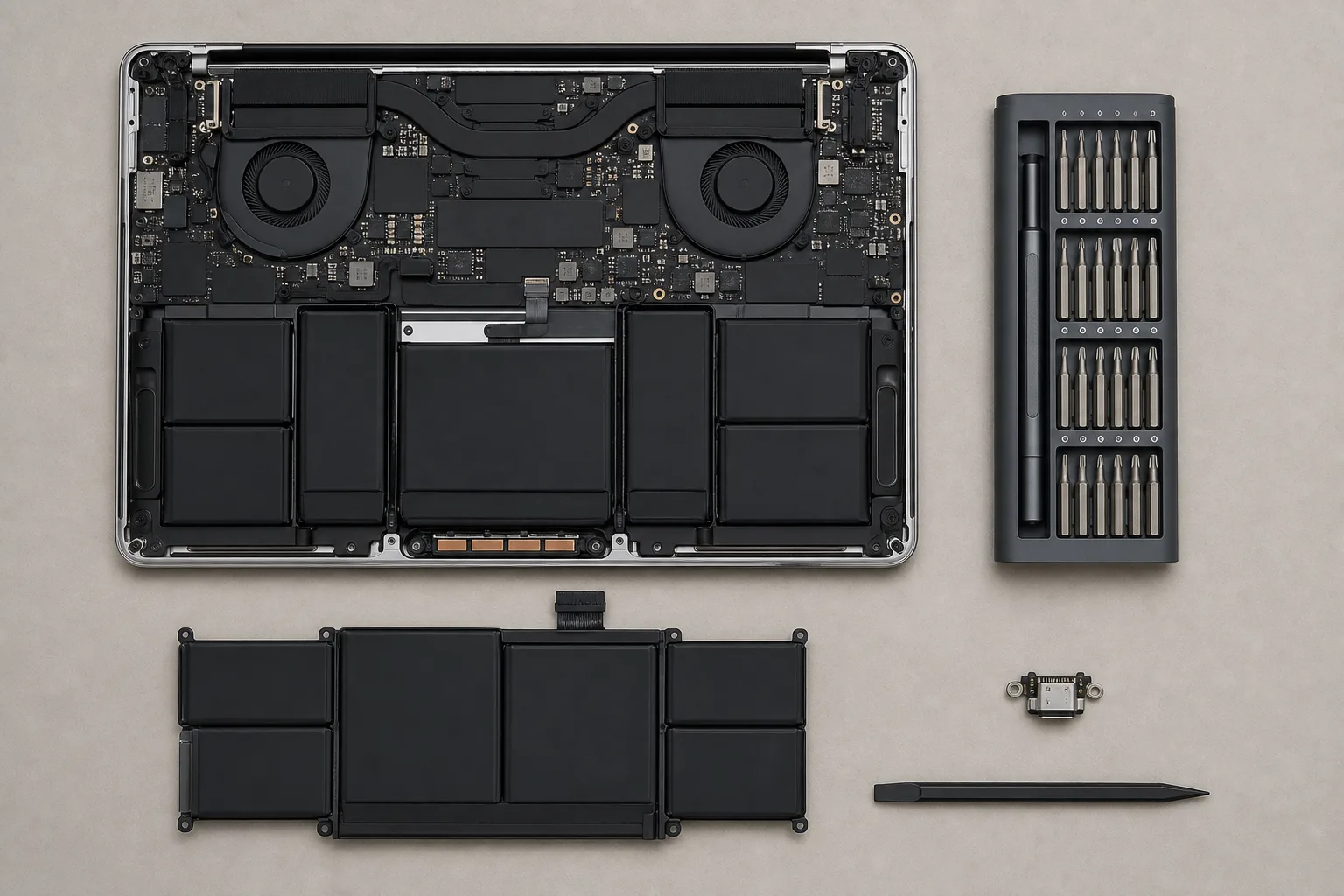
The piece below is arranged as a counter conversation, and it is worth saying plainly at the top that nobody is being quoted in it. No shop was recorded, no technician sat for an interview, and none of the answers should be read as anybody's words but this publication's own. What makes the arrangement useful anyway is that independent repair shops handle the same exchanges week after week, because products fail in consistent ways, and because the answers come out of documents far more often than out of judgment: warranty terms, parts catalogs, service manuals and a posted labor rate.
Does Opening It Void the Warranty?
Not by itself, and the sticker announcing otherwise is doing considerably less work than it appears to be doing. Federal warranty law generally prevents a manufacturer from conditioning coverage on the use of its own service or its own parts unless those are supplied free of charge, which is a rule that has been on the books for decades and is widely misunderstood in both directions. What a manufacturer remains entirely free to do is decline to cover damage that an outside repair actually caused, which is a narrower thing and a fair one.
The practical answer at a counter is short. If the device is still inside its warranty term, use the warranty first, because it costs nothing and the shop will say so. If it is outside the term, the sticker is decoration. And if a manufacturer does refuse a claim on the strength of one, that refusal is the sort of thing the Federal Trade Commission collects consumer complaints about, which is the whole argument for getting the refusal in writing rather than accepting it over the phone.
Is It Worth Repairing at All?
The arithmetic is the same in every shop and it takes about a minute. Set the repair quote against the replacement cost of an equivalent device and against the remaining useful life of the one on the counter. Under a third of replacement cost, repair without hesitating. Between a third and two-thirds, the answer depends on the age of the device and on whether it still receives software updates. Above two-thirds, replace it, and a shop that tells you so is worth returning to.
Two exceptions override that arithmetic completely. The first is data existing nowhere else, which makes this specific unit irreplaceable at any price and turns the conversation into a different one. The second is a fitted installation, meaning a wall-mounted panel, a built-in appliance or a controller wired into a system, because substituting one means paying for the device and then paying again for the installation. The repair threshold on anything mounted inside a wall sits far higher than on anything that merely sits on a desk.
Why Is So Much of the Quote Labor?
Because the part is frequently a few dollars and the disassembly is an hour. A modern device is a stack of glued and clipped assemblies that come apart in one specific order, and the order is not negotiable, so the technician pays for the engineering decisions somebody else made years ago and then passes that cost along.
It is also why two repairs on the same device can be quoted at wildly different prices without anybody being unreasonable. A charging port on a board that unclips from the chassis is a quick job. The identical port on a board buried beneath a bonded screen and a glued battery is a different piece of work with a different risk of breaking something else on the way in, and no amount of shopping around changes the layout inside the case.
Can You Even Get the Part?
This is the real gate, and parts availability rather than technical skill decides whether most repairs happen at all. Products fall into three tiers. In the first, the manufacturer sells parts and publishes service documentation, so repairs are routine and priced predictably. In the second, parts exist through the aftermarket or through harvested units, repairs still happen, quality varies, and a good shop will tell you which kind it is fitting. In the third there are no parts at all, and the device is effectively disposable no matter how trivial the fault turns out to be.
The useful part is that the tier can be determined before buying rather than after. Search the model number alongside the word teardown, then search it alongside the words replacement part, and if both searches return results the device is repairable in practice. If neither does, assume the first fault ends it. Worth checking too is whether the manufacturer sells to independent shops or only into its own authorized network, because a device serviced exclusively through one channel has exactly one price and one schedule, both set by whoever controls the parts.
It Got Wet. What Happens Now?
Power it off immediately and do not attempt to charge it, and resist the urge to keep switching it on to see whether it still works, because the damage done by a short circuit while the board is wet is considerably worse than the water itself. Rice accomplishes nothing beyond making everyone feel busy. What actually matters is getting the device to somebody who will open it, clean the board with the appropriate solvent and deal with corrosion before it spreads across the traces, and the variable that decides the outcome is time, measured in hours rather than days.
The related question a counter asks in return is what happened, and it is not an attempt to assign blame. Fault history narrows a diagnosis faster than any test, since a device that was dropped, one that stopped charging gradually and one that died during a firmware update are three separate repairs with three separate first steps. The details that help most are when it last worked normally, what changed between then and now, whether anything was plugged into it at the time, and whether anyone has already tried to fix it, which matters more than people expect because a previous attempt changes what the shop finds inside.
What Should I Look For When I Replace It?
The features that predict a long service life are unglamorous and every one of them can be checked in advance: published parts availability with a service manual, screws rather than adhesive holding the case together, a battery that arrives as a module instead of a soldered component, a stated horizon for software updates, and standard connectors rather than proprietary ones. None of those appear in advertising and all of them appear in a teardown video or on a support page, and ten minutes spent reading before a purchase does more for the eventual repair bill than any decision made afterward at a counter.
The same reasoning answers the extended warranty question that arrives with it. Many plans exclude the two things that actually happen, accidental damage and battery wear, and duplicate protection already carried through a payment card or a homeowners policy, so the questions worth asking are whether accidental damage is covered, whether battery degradation is covered and at what threshold, and whether the plan repairs the device or replaces it with a refurbished unit of the company's choosing. The alternative most shops would quietly recommend is to buy the device with better parts availability and put the price of the plan in a drawer against the repair that eventually comes.